Everything Knox does, in one tour
An iPhone app for the people at the door, a dashboard for the people running the team, and one record of every knock in between. Here’s what’s in each.
The iPhone app, built for the door
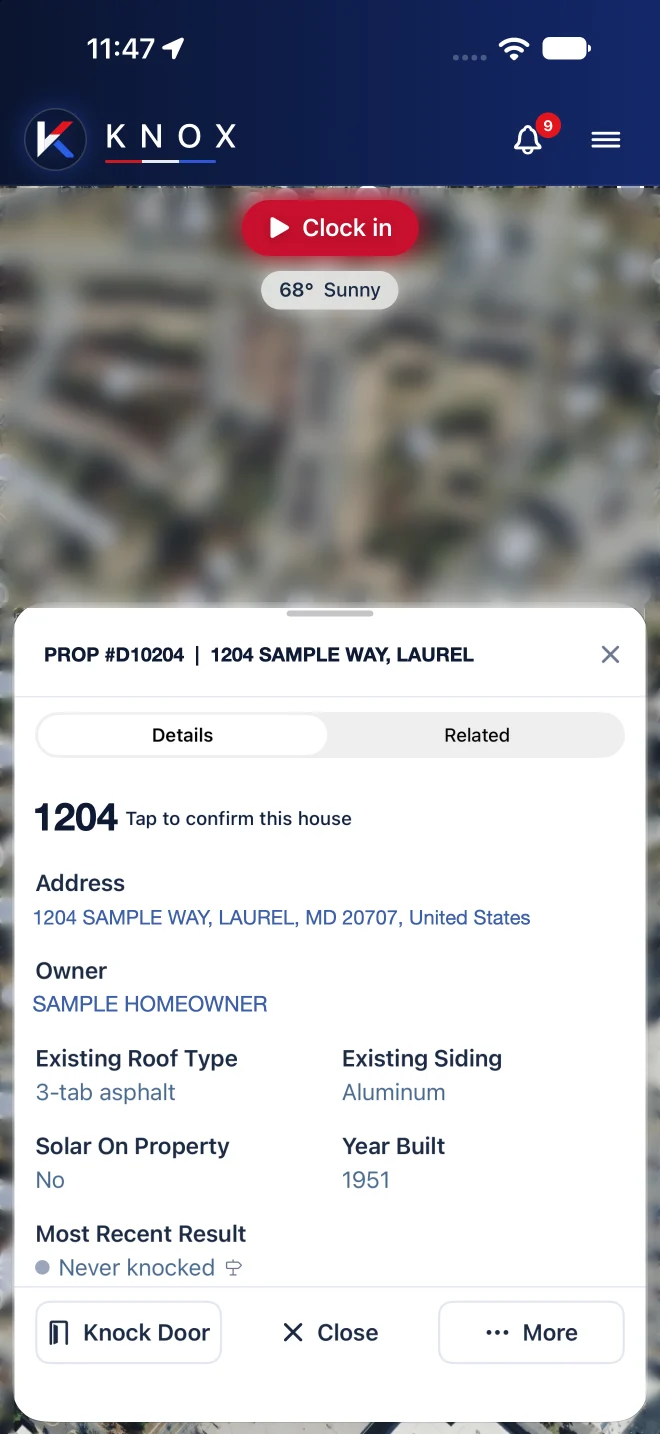
Reps open Knox, tap Clock in, and walk. Everything they need at a house is one tap away.
- Pins snap to the house. Tap a roof and the pin lands on that address from county parcel records, never on the lawn or the street.
- Ten one-tap results, from No answer and Not home to Lead, Sold and Do not return. Pin colors show the last result, so the block reads at a glance.
- Lead intake at the door: name, phone, insurance carrier, appointment time and notes, with voice dictation.
- Call-back reminders on the rep’s phone when a homeowner says “come back at 5.”
- Works without signal. Knocks save on the phone and sync when the signal returns. Download the map before heading out.
- English and Spanish, light and dark mode, and a Face ID lock.
The dashboard, built for the office
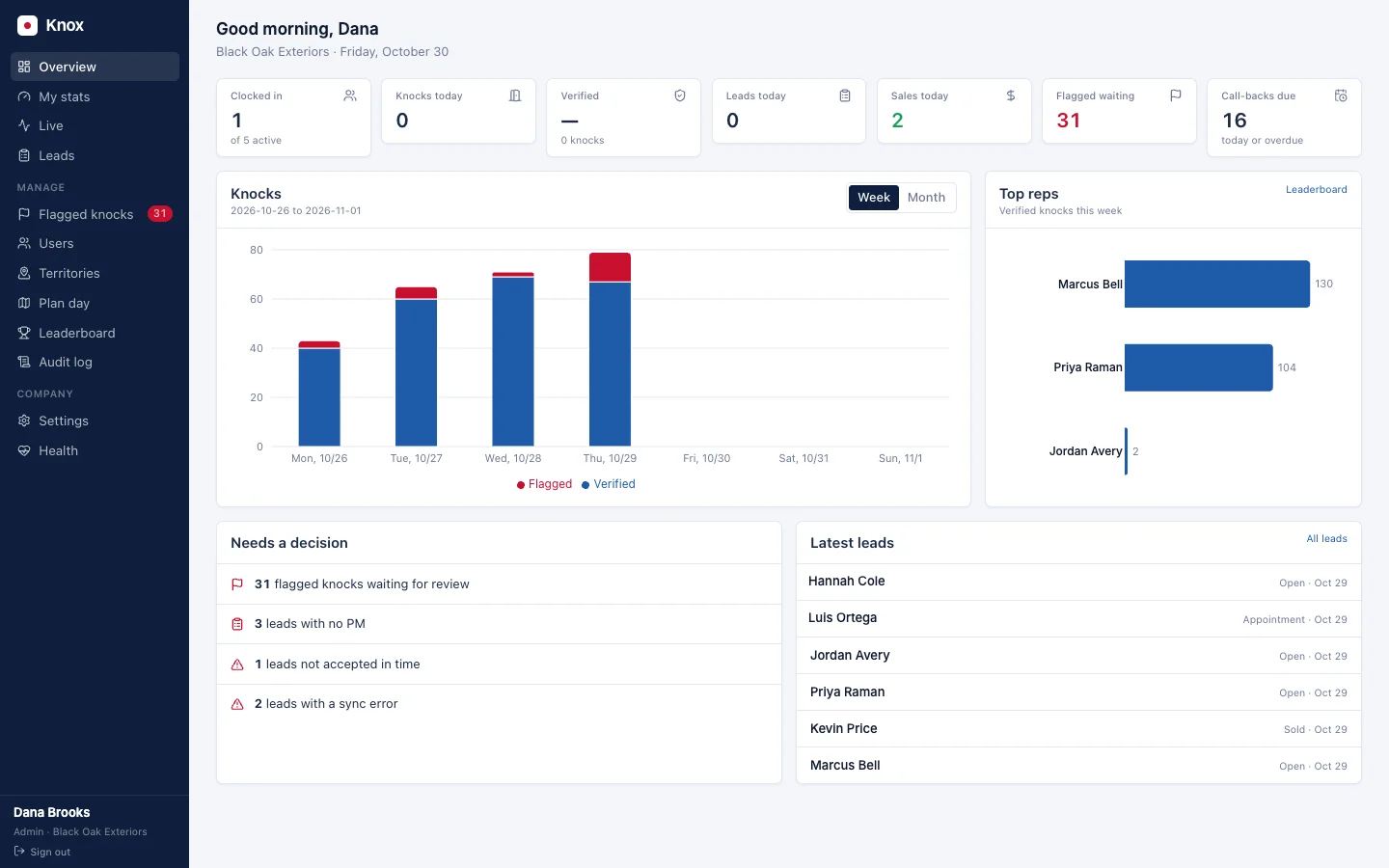
Managers and owners run the team from any browser at app.knoxdoor2door.app.
- Overview: who’s clocked in, today’s knocks, leads, sales, flagged knocks and call-backs due.
- Live map of everyone on the clock, with each rep’s route and knocks for the day.
- Leads as a table or a board, with each lead’s step, holder and history.
- Territories and Plan day: draw neighborhoods, see coverage, assign who knocks where.
- Flagged knocks with the reason and the evidence, to approve or reject.
- Leaderboard, audit log, users and settings, plus a full export of your data.
Every feature, by job
All of it is included in every plan. Pick a page to go deeper.
Knocking
Snap-to-house pins, satellite map, follow mode, ten results, house details (roof, siding, solar, year built), property history, Find a house, call-backs, offline.
How knocks are verifiedVerification
Distance, time at the door, speed and GPS accuracy checked on every knock. Fake GPS and jailbroken phones are flagged to managers right away.
Read moreLive tracking
Live map while reps are clocked in, follow a rep, replay their day, walking versus driving, battery and GPS signal. Off when they clock out.
Read moreTeam and handoffs
Canvasser, closer, manager and admin, each named your way. Leads move through your handoff steps with deadlines and manager alerts.
Read moreTerritories
Draw a neighborhood on the map, attach the campaign or storm date, assign reps, and watch coverage climb. Plan day assigns tomorrow’s doors.
How to set one upLeads and closing
Leads go to the closer you assign with a push and a calendar event. Accept deadlines, quality ratings, contract scan to mark Sold.
The handoffStats and leaderboards
Verified knocks, doors per sale, lead-to-sale rate and goals for every rep. A weekly leaderboard and a Monday email to managers.
Training
Pitch, inspection and claim walkthroughs as modules. Mark them required and see who finished.
Signed paperwork
Terms, privacy and location consent signed in the app before the map opens: who, when and which version. New versions arrive with app updates.
Security and dataIntegrations
Google Sheets, Google Calendar and JobNimbus included. HubSpot, GoHighLevel, Salesforce and others as a custom build-out.
Read moreCompany controls
Four permission levels, position names, handoff steps, team settings, audit log, full data export and per-seat billing you manage yourself.
Admin guideAny industry
Roofing, solar, fiber, wireless, pest control, security, HVAC and more. The proof works the same at every door.
See industriesReal screens, real data
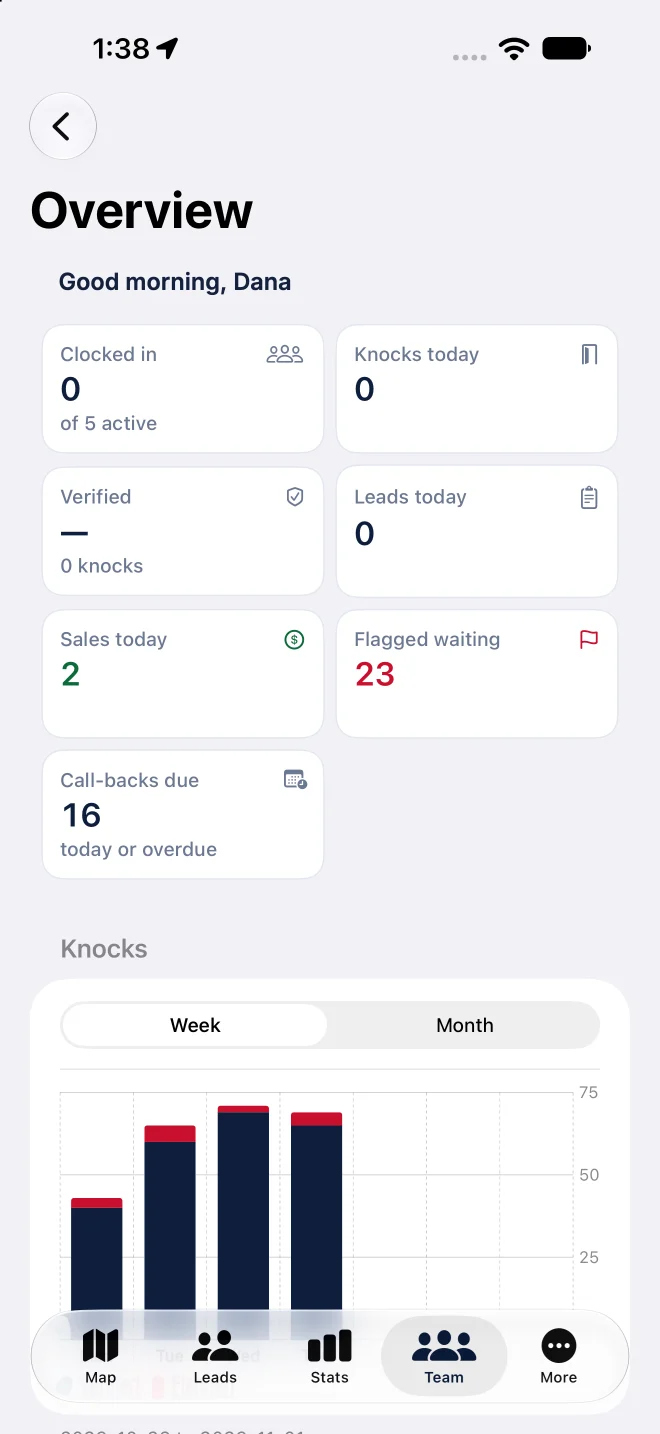
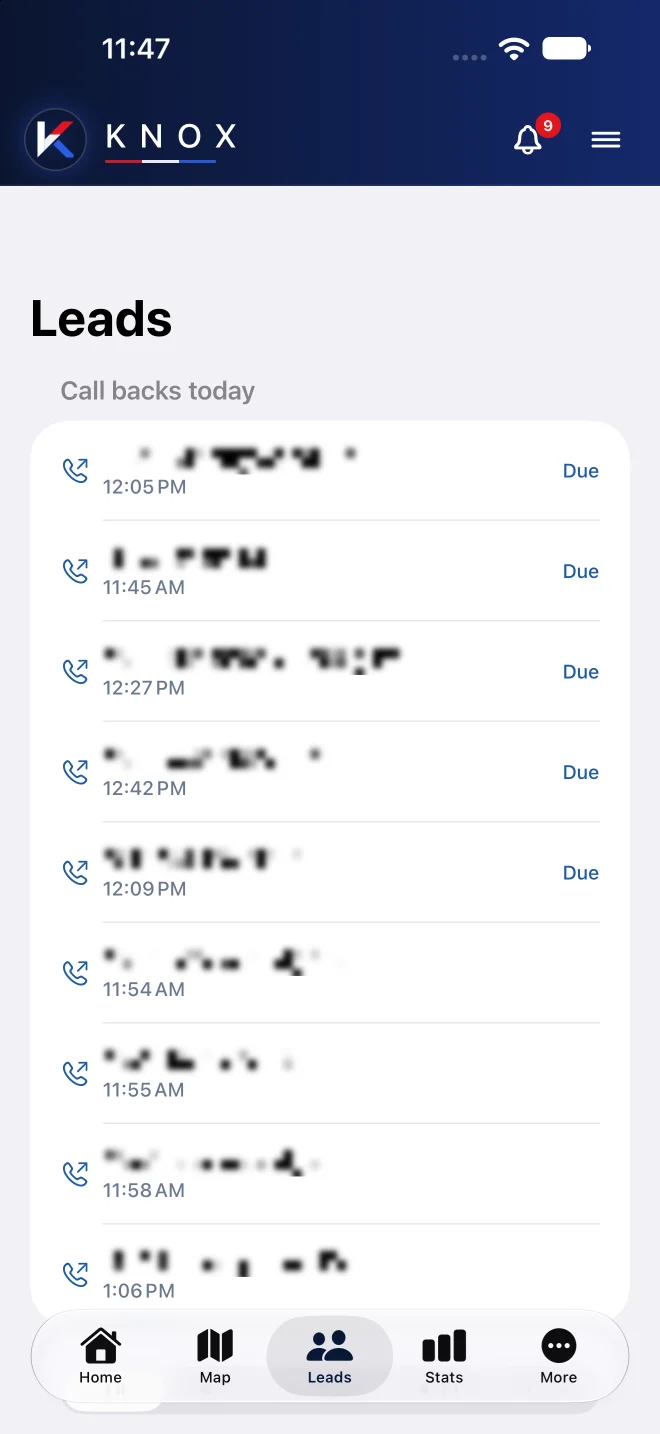
These are Knox’s own screens. The team overview on a manager’s phone, and the call-backs a rep has due today.
Addresses and homeowner names are hidden, and team names are samples.
See Knox on your own territory
A 20-minute walkthrough on a live map of your area, with the screens each position on your team would use.